LINE, loyalty cards and booking for your restaurant, tied to each guest
Split your LINE friends into regulars and drifting guests by visit count and interval, then decide the next move.
No credit card required to sign up.
How it arrives on LINE (example)
- When a guest scans the QR at the counterYour stamp has been added. We look forward to your next visit.
- A few days before a birthday or anniversary (automatic once the date is saved)Your birthday is coming up. We look forward to seeing you.
- To a segment that hasn't visited for a while (pick the segment, then send)It's been a while. Here's what we recommend this week.
Switch from paper stamp cards
Guests collect by scanning a QR at the counter. Staff can carry over the stamps on a card they already hold.
Birthdays and anniversaries, automatic
Register the date and a message goes out on the day or a few days before, from a restaurant template.
Bookings in the same place
Manage bookings on a calendar; a reminder is scheduled for 24 hours before the visit as soon as one is saved.
What you get
- ✓The LINE friend count grows, but you cannot tell a regular from someone who left
Only once friends are linked to customer records can you split them by visit count.
- ✓Coupons go out, but nobody can count how many were redeemed
Redemption counts and remaining stock per code tell you what to run next.
- ✓A paper stamp card only works if the customer remembers to bring it
As a LINE membership card it is always in their pocket.
- ✓You want to fill weekday tables but cannot decide who to contact
Pull out just the segment that has not been in for a while and the list picks itself.
- ✓Every booking call stops the prep work
Take bookings on a calendar and let the day-before reminder run itself.
- ✓You want to send an anniversary treat, but you check the dates by hand every time
Once the date is on the record, the message can go out on the day or a few days before.
Before and after
How it works today
- LINE friends are just a number, with no name and no visit history
- Coupons go out and whether they worked is guesswork
- The stamp card is paper, so a forgotten card is a missed stamp
- Who to invite in for tonight's empty tables is decided on the spot
How it works after
- Friends are linked to customer records and fall into segments by visit count and spend
- Each code carries its redemption count, remaining stock and time left before it expires
- Customers scan the QR code at the counter, and open the card in LINE whenever they like
- The segment that has not visited recently becomes a send list as it is
How this industry uses it
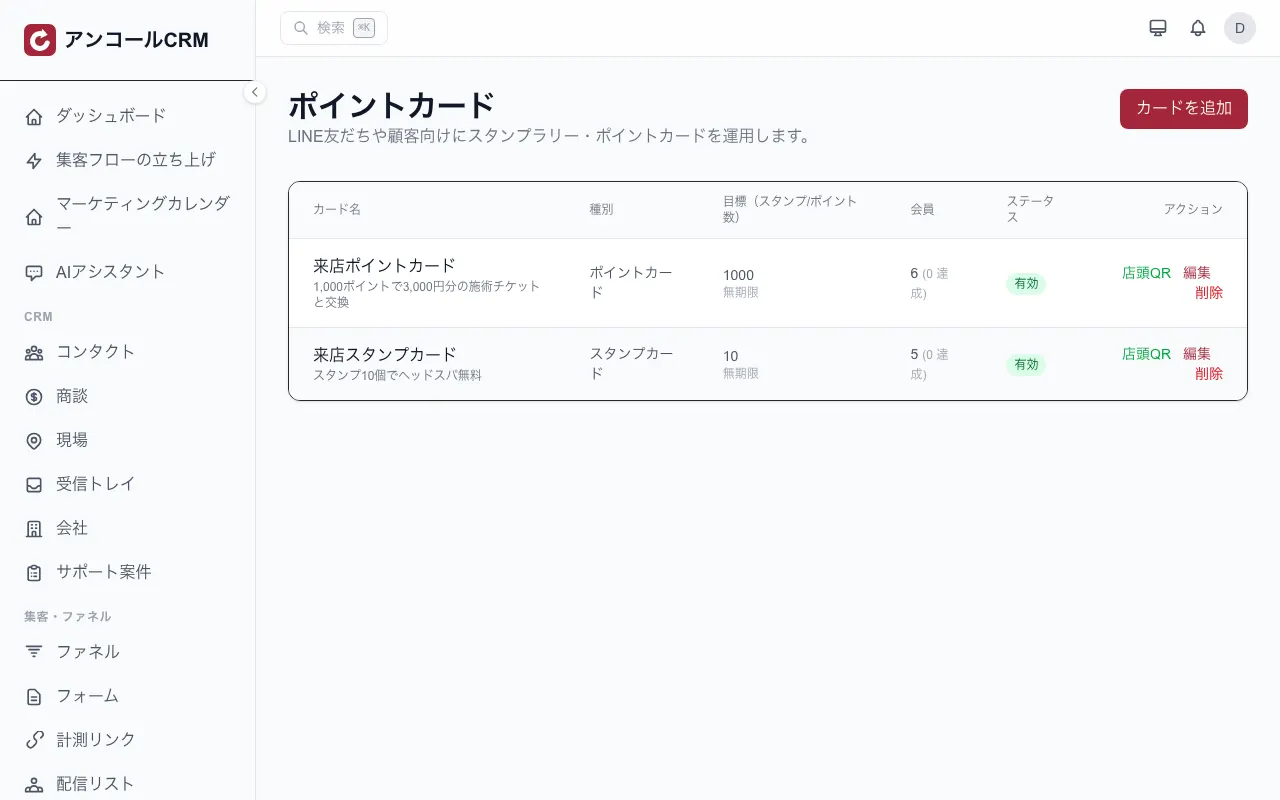
Membership cards, stamps and points
Create stamp cards and point cards. Customers earn by scanning the QR code at the counter, or automatically when a sale is rung up. They can check the balance any time from their LINE membership card.
 See this feature →
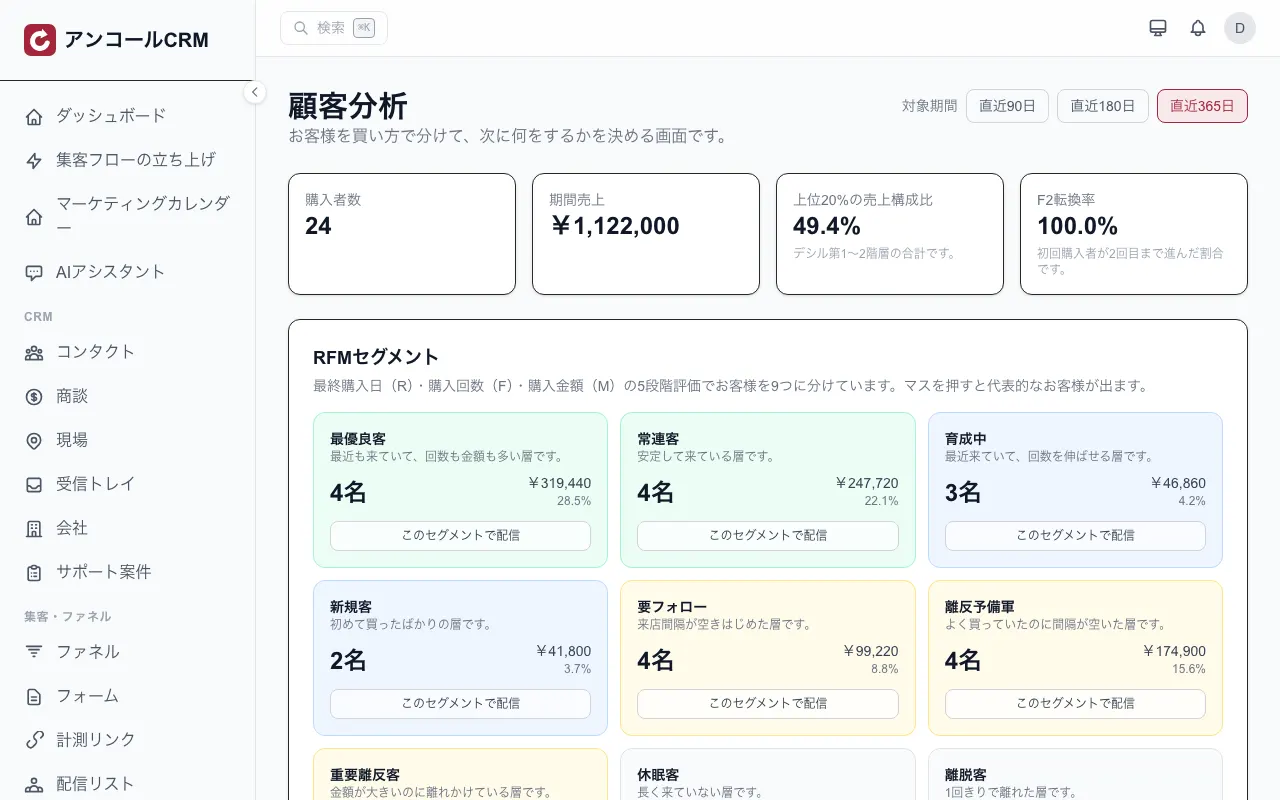
Telling regulars from customers who are drifting
Last visit, visit count and spend split your customers into nine segments. Pick a segment such as 'at risk' or 'dormant' and it becomes a send list straight away.
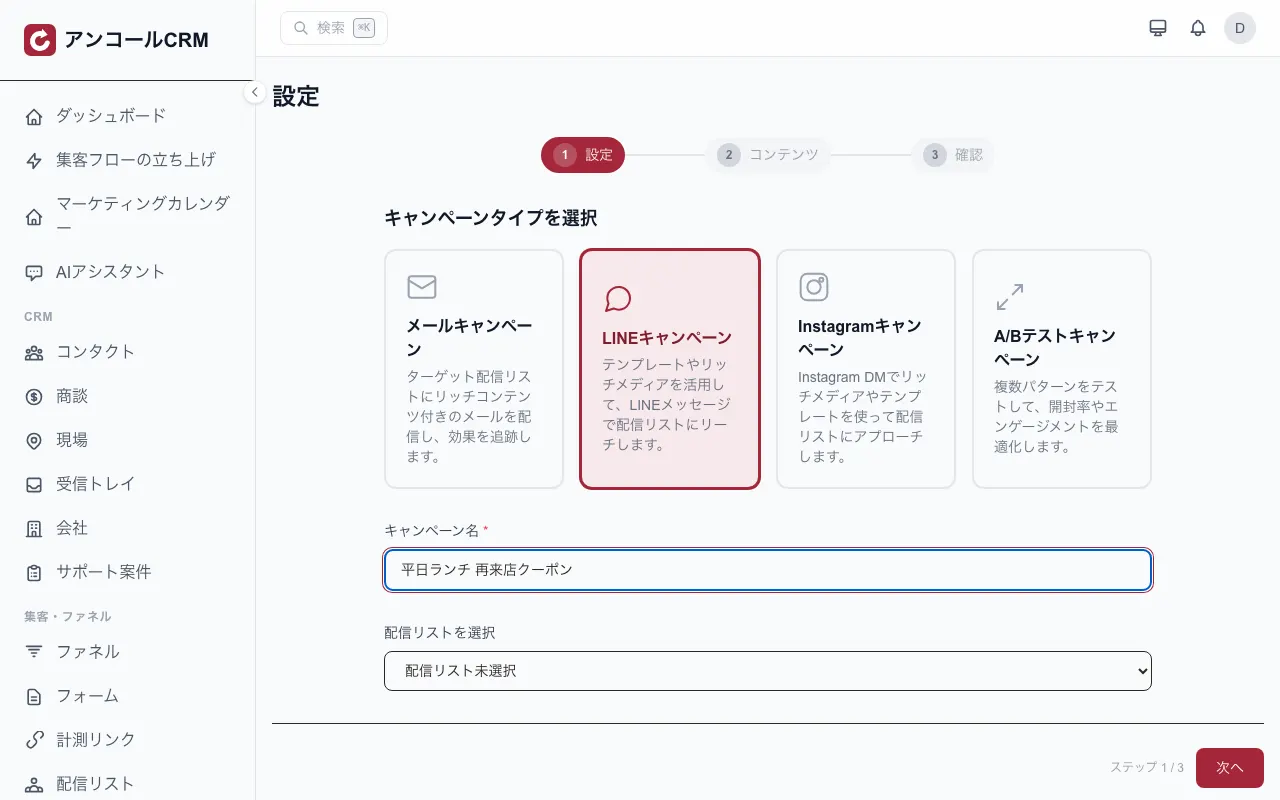
See this feature →Segmented LINE delivery
Pick a send list and message those people on LINE. It reaches the friends of your LINE Official Account that are linked to a customer record. You can mix and match with email.
 See this feature →
Coupons and expiry
Create a discount code with a redemption cap and an expiry date. The public page shows how many are left and how long until it expires. Automations can also hand them out per customer.
See this feature →Bookings and reminders
Take bookings on a calendar. The reminder is scheduled as soon as the booking is saved and, by default, arrives 24 hours before the visit. You can run your own online booking page too.
See this feature →The cost pays for itself — fast
How fast do you recoup the cost?
Enter your numbers — see how few sales cover the monthly cost.
You cover the monthly cost with just
2 sales / month
≈ $1.83 per day — anything above is profit.
Estimate only. Actual results vary by usage and conversion.
Quizzes for this trade
The verdict shows on the spot and becomes a tag that feeds the next message.
Use case
How getting started works
- 1
Sign up
Coming from this page opens the sign-up form with your industry already selected.
5 fields
- 2
Set things up
You start with the screens this industry uses. Contacts can be imported in bulk from CSV.
Bulk CSV import
- 3
Go live
The LINE and POS integrations can be added from the settings when you need them.
One settings screen
FAQ
- Can we broadcast to every LINE friend at once?
- Sending from a send list reaches only the friends that are linked to a customer record. To reach every friend at once, use LINE's own broadcast from the scheduled-post feature.
- Can we move over from paper stamp cards?
- Create a stamp card or point card, and customers earn by scanning the QR code you keep at the counter. Stamps can also be granted automatically from a till sale or a Smaregi transaction. Balances on existing paper cards can be carried over by staff.
- Can birthday and anniversary messages be sent automatically?
- Yes. Put the date on the contact record and a once-a-day check sends the message on the day or a few days before. Restaurant templates are provided to set this up. The same person is never sent the same message twice in one year.
- Can we take bookings as well?
- Yes. Bookings are managed on a calendar and you can run your own online booking page. The reminder is scheduled when the booking is saved and, by default, arrives 24 hours before the visit.
What to do next
Check the price, then go straight to sign-up.
Pricing
Pick one plan, then add options when you need them.
- ✓Salons, restaurants and communities: $55/mo (tax excluded)
- ✓Same price however many people use it (no per-user fees)
- ✓Add or stop add-ons at any time
You go to sign-up with the industry already selected. You can change it during setup.